PixeLeap


.jpg)

PixeLeap: AIPowered Photo Restoration and Enhancement App
PixeLeap is a mobile application that utilizes advanced artificial intelligence to restore, enhance, and creatively transform your photographs. It is designed for users who want to revitalize old, damaged, or blurry pictures, as well as apply imaginative AI filters to new images. PixeLeap turns your device into a powerful tool for photo recovery and artistic expression.
AIPowered Old Photo Restoration
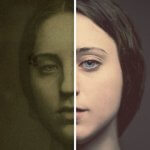
Users begin by selecting a damaged photo from their gallery. PixeLeap then processes the image, automatically identifying and correcting common issues like scratches, dust spots, and fading. The AI intelligently fills in missing details and smoothes out imperfections. After processing, users receive a sidebyside comparison of the original and restored image, allowing them to instantly see the dramatic improvement PixeLeap provides.
Colorization of Black and White Images
This feature allows users to bring historical black and white photos to life. They simply upload a monochrome image, and PixeLeap's algorithm analyzes the content to apply realistic, eraappropriate colors. It distinguishes between materials like skin, sky, foliage, and clothing to ensure naturallooking results. The final colorized photo can be saved, shared, or further edited within PixeLeap, effectively bridging the gap between past and present.
HighDefinition Image Sharpening
When a photo is blurry or lacks detail, users can employ PixeLeap's enhancement tool. The AI examines the image, sharpens edges, and reconstructs lost details to create a clearer, more defined picture. This is particularly useful for images taken in low light or with older camera phones. The process significantly improves readability and overall quality, making previously unusable photos crisp and clear.
AIGenerated Portrait Rejuvenation
PixeLeap offers a creative filter that visually alters a subject's apparent age in a portrait. Users select a clear photo of a person and choose the "Rejuvenate" option. The AI then modifies facial features to reduce signs of aging, resulting in a youngerlooking version of the subject. This feature provides a fun and engaging way to see a different perspective, though the results are intended for entertainment purposes.
Batch Processing for Multiple Photos
For users with numerous photos to enhance, PixeLeap supports batch processing. This workflow involves selecting multiple images from the gallery and applying a chosen effect—like restoration or colorization—to all of them at once. PixeLeap queues the tasks and processes each photo sequentially, saving users considerable time and effort compared to editing each file individually. This makes PixeLeap efficient for handling large photo collections or projects.
Intuitive Photo Scanning and Cropping
PixeLeap functions as a scanner for physical photographs. Users point their device's camera at a printed picture. PixeLeap automatically detects the photo's edges, corrects perspective distortion, and crops it from the background. It then applies its enhancement algorithms to improve the digital copy's quality. This creates a highfidelity digital archive of physical memories directly within PixeLeap.
Key Features
AIdriven restoration of old, damaged, and faded photographs.
Automatic colorization for black and white images.
Sharpening tool to enhance blurry and lowdefinition pictures.
Rejuvenation filter for creative portrait age transformation.
Batch processing to apply enhancements to multiple images simultaneously.
Integrated scanner for digitizing and enhancing physical photos.
Information
-
Category:
-
Latest Version:1.1.5.3
-
Updated:2 Dec 25
-
File size:63.33MB
-
Requirements:android
-
Developer:
-
ID:com.photoscan.enhancer.remini.photomyne.colorize.scanner

![134:Police – Version 0.1 [SaltHedrin]](https://cdn.apk5free.com/crawler_collect/auto_upload/2025-08-21/17557221339d3d52fe43bd6cd6a0cfb148c36f0edc.jpeg)


